


Hungry Howies
4.540.30K Reviews
App Specs
- Version
- 2.59.0
- Updated On
- License
- Free
- Downloads
- 1,000,000+
- Developer
- Hungry Howie's Pizza
- Categories
- Food & Drink
- Platform
- Android, iOS
Screenshots

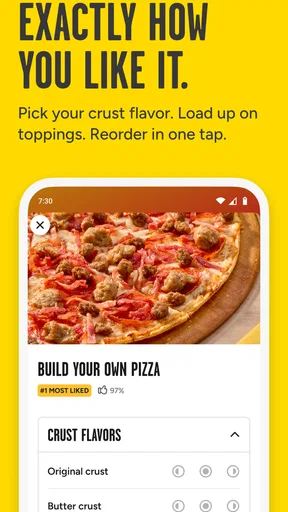
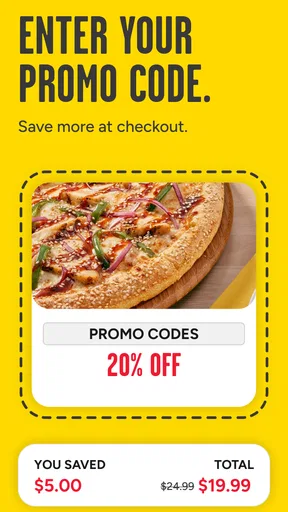
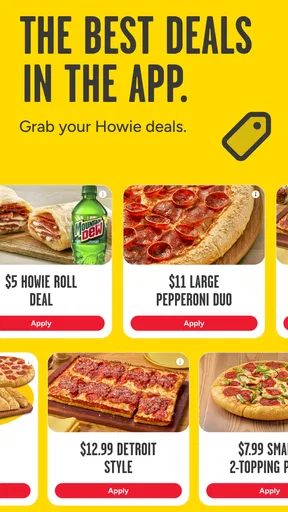
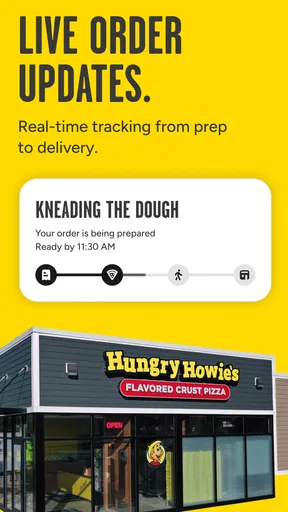
 Analysis by AppCompare
If you are hungry and want to order pizza without making a phone call, the Hungry Howie’s app is built for a very specific job: helping you arrange delivery or pickup from Hungry Howie’s Pizza. I found it easy to understand once I treated it as an ordering tool rather than a general food-discovery app. You choose a store, build an order, review the details, and move toward checkout from your phone.
That focused approach is its biggest strength. I would recommend it to someone who already knows Hungry Howie’s, has a nearby location, and wants a quicker way to repeat an order or browse the menu. I would be more cautious about recommending it to someone comparing every restaurant in town, looking for broad delivery coverage, or expecting a restaurant marketplace with many brands in one place.
Getting from installation to a real order
I find the first order goes more smoothly when I treat setup as a quick location check, not a reason to browse at random. Choosing the store and deciding between delivery and pickup first gives the menu a practical context; from there, I can focus on whether the ordering flow fits the way I actually want dinner handled.
What to expect before you begin
Hungry Howie’s is a free Food & Drink app from Hungry Howie’s Pizza. It is available for everyone, and its current version is 2.59.0. The app has been around since March 15, 2011, which helps explain why it feels like a practical ordering companion rather than a novelty. On Android, it supports devices running version 8.0 or later.
The app has a 4.5 average from around 129 thousand ratings, with roughly 40 thousand written reviews, and it has passed one million installs. Those figures suggest that it is familiar to a large number of customers, although popularity does not remove the need to check your own local experience. Restaurant apps can feel different depending on the store serving your address, the menu available there, and how busy the location is when you order.
Before installing it, I would make one simple decision: am I ordering from Hungry Howie’s specifically, or am I still deciding what kind of food I want? If the answer is the former, the app makes sense. If you want to compare pizza shops, burgers, groceries, and independent restaurants together, a broader delivery service may be more convenient because it keeps those choices in one search.
The first screen is best approached with a destination in mind. Have your delivery address or preferred pickup location ready. This is more useful than opening the app while casually browsing, because the available menu and ordering choices are tied to the store handling the order. A few seconds spent deciding whether you want delivery or pickup can also make the rest of the process feel less confusing.
Worth Reading Before You Choose

EA SPORTS FC Mobile 26 Is a Bigger Football Game, but It Takes Time

Flipboard Shows What News Apps Must Do Beyond the Feed

Switching to Android Auto Means Rethinking Your Driving Routine

Google Calendar Makes a Crowded Week Easier to Manage

Ludo King Makes the Most of the Minutes Between Plans

Baby Panda World Brings Quick Play to Modern Phones, but Its Game Library Feels Busy
First setup without unnecessary friction
My advice for a first-time user is to start with the location step rather than immediately building a large order. Select the Hungry Howie’s location that serves you, then decide between delivery and pickup. This gives the app the context it needs before you spend time choosing food. If you are ordering for a group, settle the location and service method first so nobody is choosing items from the wrong store or under the wrong assumption about collection.
For delivery, check the address carefully before moving on. Apartment numbers, building names, and entry details matter more than people expect, especially when the order is placed during a busy evening. For pickup, confirm that you are comfortable reaching the selected store before finalizing anything. A pickup order can be faster than delivery, but only if the location is genuinely convenient for you.
I also recommend reviewing the order summary slowly the first time. Look for the chosen store, the service type, the items, and any customization you made. This is not exciting, but it is the most dependable way to catch a mistaken location or an item added while browsing. The app’s value is speed, yet speed is only helpful when the order is going to the right place.
Do not feel pressured to create a complicated order immediately. A first successful use can be a small pickup order for one or two people. That lets you learn the flow, see how the menu is presented, and understand where the final review happens. Once you know the route, a larger family order becomes much easier because you are no longer learning the interface while also trying to coordinate dinner.
One useful habit is to separate menu decisions from checkout decisions. First choose the food and inspect the order. Then think about delivery or pickup details and the final total. Mixing those tasks can make it easier to overlook a change, particularly when several people are suggesting additions from the same phone.
Your first meaningful success: completing a clear order
The first meaningful success with this app is not simply opening it; it is reaching a clean, correct order that matches your plan. I would use this sequence: choose the serving location, select delivery or pickup, browse the menu, add the main items, review every selection, and then continue through the app’s checkout flow.
For a solo meal, start with the item you actually want rather than filling the basket with extras because they are visible. For a group, decide the number of people and dietary preferences before browsing. This reduces the common problem of building an order around attractive individual items and only later discovering that the combination is awkward for sharing.
When customizing food, pause after each change and make sure the summary reflects it. This is particularly important if you are ordering for someone else. A small topping or ingredient mistake can matter more than the convenience of ordering through an app, so I would rather spend an extra moment checking than assume the final basket is correct.
A realistic example is a weeknight when you finish work late and need dinner for two adults and a child. I would open the app, choose the nearest suitable store, select pickup if one of us can collect it, and build a modest order while everyone agrees on the choices. Before submitting, I would read the store and service method aloud, then check the items once more. That workflow uses the app where it is strongest: reducing back-and-forth and keeping the order in one place.
For delivery, the same process works, but the address deserves extra attention. If another person may receive the order, make sure they know what was ordered and where it is being sent. For pickup, think about timing and travel before placing the order. A pickup option is not automatically better; it is better when you can reach the store easily and want more control over the handoff.
The app is also useful when the decision has already been made and you simply want to repeat a familiar type of order. I would still review the basket rather than relying on memory. Menus, availability, and personal preferences can change, and a quick confirmation is safer than assuming the previous choice is still exactly right.
Where first-time users can become confused
The most likely confusion comes from treating the app like a universal restaurant search. It is not. The experience is centered on Hungry Howie’s Pizza, so the important question is not “What restaurants are near me?” but “Which Hungry Howie’s location should handle my order?” Once that distinction is clear, the app’s focused design makes more sense.
Another point that can cause hesitation is the difference between delivery and pickup. Both may appear as natural ways to finish an order, but they suit different situations. Delivery is convenient when leaving home is difficult or when several people are waiting. Pickup can be preferable when you are already nearby, want to avoid waiting at home, or need a simple handoff. I would decide this early instead of building the order first and changing the plan at the end.
Location selection can also be easy to overlook. A nearby store is not always the same as the store that best serves your address or pickup route. If you are between locations, inspect the chosen store before continuing. This is one of the most important checks in the whole app because a perfectly built order is still inconvenient if it is attached to the wrong location.
People sometimes focus on the menu and forget the practical delivery information. A clear address and useful instructions can matter more than shaving a few seconds from the ordering process. I would prepare those details before checkout, especially for apartment buildings, offices, hotels, or homes with a hard-to-see entrance.
Group ordering creates a different kind of confusion. Passing one phone around can lead to duplicate items or forgotten requests. My preferred method is to collect everyone’s choices first, then add them in one deliberate pass. If the group keeps changing its mind, wait until the choices are settled. The app can organize the order, but it cannot resolve disagreement between hungry people.
Another trade-off is that a dedicated restaurant app may be simpler for a known brand but less useful for comparison. A general delivery app may show more restaurants and make it easier to compare cuisines in one place. However, that broader choice can also add extra browsing and another layer between you and the restaurant. If you already want Hungry Howie’s, the dedicated route feels more direct.
How it compares with calling or using a broad delivery service
Compared with calling the restaurant, the app gives me a more visual way to assemble the order. I can review what I selected before continuing instead of trying to remember every detail from a spoken conversation. That is especially helpful for groups, customizations, and anyone who prefers reading choices at their own pace.
Calling can still be the better option when your request is unusual, your situation needs explanation, or the app’s ordering path does not match what you want to ask. A phone conversation allows you to describe a special circumstance directly. The app is strongest when your order fits the normal menu and service choices it presents.
Compared with a multi-restaurant delivery platform, Hungry Howie’s offers a narrower but more focused experience. The choice is not between dozens of brands; it is about ordering from this particular pizza chain. That can reduce distraction and make repeat ordering more straightforward. The cost of that simplicity is flexibility: if you want to compare restaurants, delivery fees, or cuisines side by side, a broader platform may suit you better.
I would also avoid assuming that the app alone determines the entire experience. The restaurant location still prepares the order, and the practical result depends on the selected store, your address, and whether you choose delivery or pickup. The app can make ordering clearer, but it cannot turn an inconvenient location into a convenient one or eliminate the need to check your information.
Small habits that make the app work better
My first practical tip is to use pickup deliberately rather than treating it as a backup. If you are already running errands near a Hungry Howie’s location, pickup can fit naturally into your route. In that situation, the app becomes a planning tool: you can arrange the order before leaving, then collect it as part of a trip you were already making.
My second tip is to create a group order plan outside the app before adding anything. Ask each person for a main choice and any important customization, then enter the list once. This avoids the subtle error of adding food based on conversation while someone is still changing their mind. It also makes the final review much faster.
My third tip is to treat the final summary as a checklist, not a formality. Confirm the serving store, service method, address if applicable, and every item. This is the point where you can catch the mistakes that are hardest to fix later. I find this especially valuable when ordering while distracted, in a noisy room, or near the end of a long day.
A fourth useful trade-off is choosing the app for routine orders and another method for exceptions. If you know what you want and the normal delivery or pickup flow suits you, the app is efficient. If you need a detailed conversation or want to compare many restaurants, calling or using a wider service may be less frustrating. Knowing when not to use the app is part of using it well.
Who will appreciate it, and who should skip it
I think the app is a good fit for Hungry Howie’s regulars, families ordering from a phone, people who prefer visual menus, and anyone who wants delivery or pickup without a phone call. It is also useful for a person who has already chosen the restaurant and wants a repeatable process for getting food arranged.
I would hesitate to recommend it as a first choice to someone who does not have a convenient Hungry Howie’s location, wants to compare several restaurants, or needs highly unusual ordering assistance. In those cases, a broader service or direct conversation may better match the task. The app’s focused nature is helpful only when the restaurant and ordering style fit your needs.
It is free to install, so trying it does not require committing to a subscription or buying the app itself. Still, I would judge it by the complete ordering experience rather than by installation alone. The real benefit appears when the selected store, service method, and menu fit your situation.
My recommendation after using the complete flow
Hungry Howie’s succeeds because it keeps its purpose clear. I can open it when I already want pizza from Hungry Howie’s, choose between delivery and pickup, build an order, and check the details before moving forward. That is a useful everyday workflow, particularly when a group needs a decision without a long phone conversation.
Its limitations are equally clear. It is not a restaurant comparison tool, and it cannot replace judgment about location, travel, address accuracy, or unusual requests. First-time users should slow down at the store-selection and final-review stages; those are the moments where convenience can otherwise turn into an avoidable mistake.
My recommendation is simple: install Hungry Howie’s if you already use the chain and want a direct way to manage delivery or pickup. Start with a small, uncomplicated order, learn the location and checkout flow, and then use the app for busier family meals or repeat orders. If your priority is exploring many restaurants rather than ordering from one known brand, choose a broader alternative instead.
For the right user, Hungry Howie’s is not trying to do everything, and that is why it can be convenient. It gives a first-time customer a clear path from deciding on dinner to reviewing a real order. Just keep the final checks in your routine, and the app becomes a practical part of an ordinary pizza night rather than another source of decisions.
Pros
- Flavorful flavored-crust pizzas offer more variety than standard chains.
- Online ordering makes it easy to customize toppings and crust options.
- Frequent coupons can make combo meals affordable for budget-conscious customers.
- Carryout locations are convenient for quick pickup in many service areas.
- Menu includes wings
- bread
- salads
- and desserts for group orders.
Cons
- Availability and delivery coverage vary considerably by location.
- Coupon deals may have restrictions
- minimums
- or limited redemption periods.
- Customization can increase the final price quickly.
- Delivery fees and service charges may not be obvious until checkout.
- Food quality and delivery speed can differ between independently operated stores.
FAQs for Hungry Howies
What is Hungry Howie’s, and what can I do with the app?
Hungry Howie’s is the official ordering app for the Hungry Howie’s pizza restaurant chain. After installing it, you can browse the menu, customize pizzas and other items, select a nearby store, and place an order for delivery or pickup. The app is especially useful for checking current deals, saving favorite orders, and completing future purchases more quickly.
Can I customize my pizza and choose different crust flavors?
Yes. One of Hungry Howie’s main features is pizza customization. Depending on the location, you can choose toppings, sizes, sauces, cheese options, and specialty pizzas. The app also highlights flavored crust choices, such as butter cheese, garlic herb, onion, or other available varieties. Options and prices may differ by restaurant, so review the final order carefully before paying.
Does Hungry Howie’s offer delivery and carryout ordering?
The app generally supports both delivery and carryout, although availability depends on the selected Hungry Howie’s location and its delivery area. Entering your address or choosing a store will show which services are available. Carryout can be convenient when you want to avoid delivery fees, while delivery may include additional charges, minimum order requirements, taxes, and possible driver-related fees.
Are coupons, discounts, and special deals available in the app?
Hungry Howie’s frequently promotes coupons, meal bundles, limited-time offers, and store-specific deals through its app and website. Available discounts can vary according to your location, order type, and selected products. Some promotions cannot be combined, may require a qualifying purchase, or may apply only during certain hours. Always check the offer terms before submitting your order.
Is the Hungry Howie’s app available everywhere, and what should I check before ordering?
Hungry Howie’s operates through participating locations, so the app’s menu, prices, delivery range, payment methods, operating hours, and promotions may differ from one store to another. Before downloading or placing an order, confirm that a nearby restaurant serves your address. You should also verify estimated preparation and delivery times, allergen information, and the complete total at checkout.


